Track your lifting progress while you're still lifting
Most apps treat tracking your lifting progress as a "Stats" tab. Something you open on a Sunday evening, stare at for three minutes, and close without a decision. Gymmy flips that around. Progress gets decided mid-workout, at the exact moment you're weighing 80 kg against 82.5. That's where the numbers need to be, not in a report for later.
In practice, every exercise arrives pre-filled with the sets from your last workout, weights and reps already in place, yours to validate or adjust. A grey "PREV" column shows, line by line, what you did on that same set last time. The moment a validated set is comparable, an up, down or equal arrow takes the place of its set number. You know instantly whether you just did better, worse, or the same.
The matching behind those arrows isn't naive, either. Warm-ups are compared to warm-ups, drop sets to drop sets, working sets to working sets. Your third working set is measured against your third working set, not against whatever warm-up happened to sit in that slot last week. That's part of what set types are for: keeping comparisons clean.
Your last performance, in big type
Tap an exercise's name (mid-workout or from your library) and its page opens on the thing you actually came for: your last performance, displayed in big type, weight × reps. Right below it, the change since last time: "+2.5 kg", or "stable" when nothing moved. Your record sits in the same view, either "record 110 kg on March 12" or "this is your record" when your latest performance happens to be the peak.
The detail that matters is that this page opens without leaving your current workout. "What did I put on last time?" gets answered in one tap between sets, not by digging through history while your rest timer runs out. Stats, chart, history and records, all one tap from the set you're about to do. That's the whole idea.
A chart you read with your finger
The exercise page carries an interactive progress chart: put your finger on it, slide, and every point reads out plainly, with its date, weight and reps. No decorative graph you can't interrogate. You scrub through your own history by touch, one workout at a time.
Underneath the chart, the yardstick is estimated 1RM, computed with the Epley formula. That's what puts 80 kg × 8 and 85 kg × 6 on the same scale: two performances that look incomparable, one measure of strength to settle it.
And if you've only logged one workout on an exercise, Gymmy just says so: "at least 2 workouts to see a trend". One point is not a trend, and an honest app won't pretend otherwise.
The ±2% dead zone: no fake good news
This is arguably the most important decision in all of Gymmy's progress tracking: any change in estimated 1RM smaller than 2% counts as "stable". Never as progress. Never as a decline either.
Why a dead zone? Because your estimated 1RM drifts on its own from one workout to the next. A different bar, the time of day, last night's sleep, a rounding on the keypad. +0.8% on a Tuesday isn't progress. It's noise. An app that hands you a green arrow for it teaches you two bad habits: settling for nothing, and distrusting the app the day that "progress" evaporates.
Gymmy doesn't congratulate you for statistical noise. When the arrow points up, something actually went up. It's less flattering than a dashboard that turns green every week, and far more useful when you're deciding what to load next week.
The same honesty runs through the end-of-workout summary. Its verdict banner says one of three things ("You progressed.", "You maintained.", "Tough session."), and it's allowed to say the second and the third. A log that only knows how to cheer isn't tracking anything. The one exception is deliberate: your very first workout is always celebrated, never judged, because there's nothing to compare it to yet.
No comparison beats a dumb comparison
The dead zone isn't the only guardrail. Gymmy would rather stay quiet than compare nonsense:
- Rep gap over 3: no comparison. Putting a set of 5 next to a set of 12 doesn't measure progress; those two efforts aren't speaking the same language. In that case, no arrow at all.
- Comparisons walk back in time. If your last workout holds nothing comparable, Gymmy keeps searching back through your history until it finds one that does, instead of showing a blank or comparing at random.
- The position note. If an exercise moved, say third in the workout last time and first today, a banner reminds you, with an honest word attached: you were more tired then, or fresher. A softer number after four exercises isn't regression; it's fatigue.
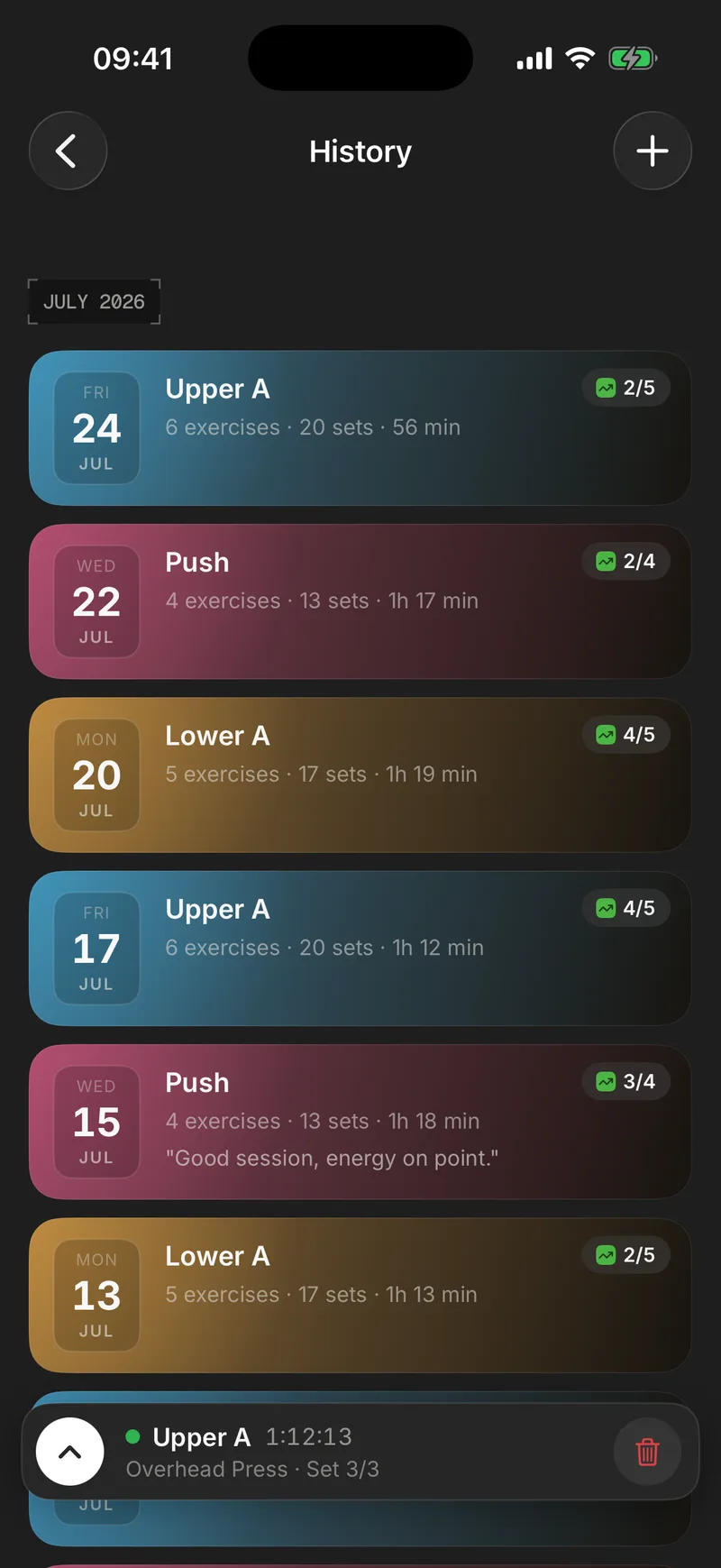
- Renaming a workout keeps its lineage. Rename "Push" to "Upper A" and the history, lineage and comparisons follow without flinching. Your tracking doesn't reset because you tidied up your workout names.
A per-exercise history, not a raw table
For every exercise, the history reads like a journal instead of an accounting export: the date, the routine as a colored pill, where the exercise fell in the workout ("3rd exercise"), the best set in bold, the full breakdown of sets, a trend arrow, and a PR badge on the days a record fell. Your notes show up here too: the seat setting you wrote down three weeks ago, how the day felt. Context and numbers in the same place, because a number without its context is how you end up drawing the wrong conclusion.
And if that day you had swapped the exercise because the machine was taken, no worries: history and records follow the exercise you actually did, everywhere. No cable row will ever end up in your barbell row chart.
Numbers that come from your own logging
Progress tracking is only as good as the data underneath it. Everything above rests on logging fast enough to happen between two sets, one hand still on the bar. Every week, the weekly recap picks up those same numbers and tells you whether the week trended up, stayed stable, or slipped. That includes your top three exercises on the rise and the three that dipped, ranked by estimated 1RM gain. And when a validated set beats your all-time best, the very same machinery fires the live trophy.
The simplest way to check any of this is on your own bar: the first 10 workouts are free, no credit card.
Frequently asked questions
How does Gymmy measure progress between two workouts?
The common yardstick is estimated 1RM, computed with the Epley formula from your weight and reps. That's what lets 80 kg × 8 and 85 kg × 6 sit on the same scale. Any change under 2% is labeled stable, and if the rep gap between two sets is more than 3, Gymmy doesn't compare them at all. Those two efforts aren't measuring the same thing.
Do I see my progress during the workout?
Yes, that's the whole point. Every exercise arrives pre-filled with the sets from your last workout, a grey PREV column shows your previous numbers line by line, and as soon as a validated set is comparable, an up, down or equal arrow replaces its set number. You learn whether you're progressing while you can still do something about it, not on the couch that evening.
What happens if I change the order of my exercises?
Gymmy notices and says so. When an exercise has moved since last time, a banner recalls where it sat before ("Last time: 3rd exercise") and whether you were fresher or more tired at that point. A number hit at the end of a workout shouldn't be judged like an opener, and that context stops you from misreading fatigue as regression.
What if I rename my workout or skip a few weeks?
Comparisons hold up. Every workout belongs to a lineage that survives renames, so turning "Push" into "Upper A" breaks neither the history nor the comparisons. And when your most recent workout has no comparable set, Gymmy walks back through your history until it finds one that does, instead of showing a blank or a comparison that makes no sense.