
 ChatGPT
 Claude
 Perplexity
 Gemini
 Grok
Grok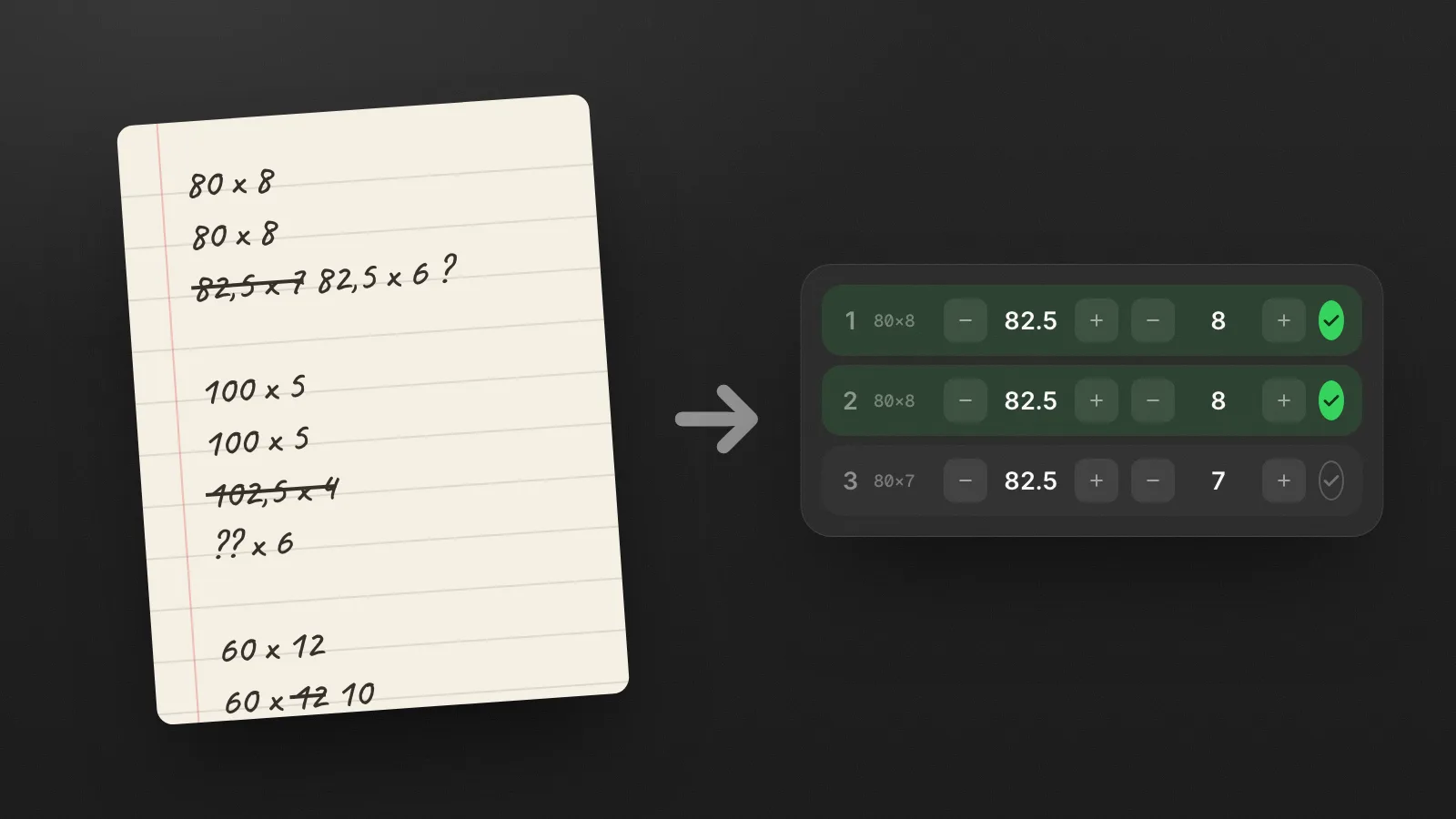
If you've been training for a few years, chances are your "training log" is actually the Notes app on your iPhone. One long list, numbers lined up by hand, copy-pasted from workout to workout. It works… right up until the day it starts holding you back.
In this article, we take an honest look at why Apple Notes quickly hits its limits as a workout log, and what an app built for the job actually changes mid-workout.
Why so many lifters end up in Apple Notes
The logic is simple. Most workout apps hand you their exercises, their preset programs and a rigid structure. When you already know what you're doing, that frame becomes a burden. Notes has no opinion about any of it. You write what you want, how you want.
That's exactly its strength… and its weakness.
The real limits of Notes for lifting
1. Everything is slow to type
Between sets you have fifteen seconds and one free hand. In Notes, you have to:
- open the right document,
- scroll to the right line,
- place the cursor in the right spot,
- switch to the number keyboard,
- retype everything by hand.
Multiply that by 20 sets. It's pure friction, every single workout.
2. Your past numbers are buried
To know what you pushed last time, you scroll back through the text, hunt for the right date, compare by eye. The single most important piece of information, "what did I do last time?", is the hardest one to dig up.
3. No rest timer
You manage rest with the iPhone's clock, in another app. You juggle. You forget. You lose the thread.
4. Zero usable structure
Free text can't be counted, sorted or charted. Tracking your progress over three months is basically archaeology.
What a real workout notes app changes
The point is not to go back to an app that dictates your workout. It's to keep the freedom of Notes while removing the friction of Notes.
A good workout notes app lets you:
- log a weight and reps in one tap, on a number pad, with +/− buttons;
- duplicate a set in a single tap when you repeat the same one;
- see last time's numbers right there on the exercise, no digging;
- start a rest timer automatically the moment you validate a set;
- keep your whole history, sorted, comparable, with zero copy-paste.
You stay in full control of your workout. You just remove everything that slows you down.
That's exactly what Gymmy does
Gymmy came out of that gap: lifters who run their own training deserve better than Apple Notes. No coach, no preset program, just a fast workout log you can use with one hand, exhausted, offline.
Because lifting is also about moments, Gymmy adds one unusual touch: timing your track's drop right on your heavy set. But that's a story for another day.
If you recognized yourself in the "Apple Notes log", you already understand the problem. The good news is that it has a simple fix.
Frequently asked questions
Can I use a spreadsheet like Google Sheets as a workout log?
You can, and it beats free text because numbers become sortable and chartable. The problem is entering data mid-workout. Editing cells on a phone with one sweaty hand between sets is slow, and there is still no rest timer or automatic comparison with last time. Spreadsheets work best as an analysis layer, not as the thing you type into at the gym.
How do I move my old workout notes into a tracking app?
Almost always by hand, since free text does not import cleanly anywhere. The practical shortcut is to not migrate everything. Retype only your current program and last time's numbers for each exercise, keep the old note as an archive, and let the new history build from there.
Is a paper notebook better than an app for logging lifts?
Paper is honest and distraction-free, and plenty of strong lifters have used it for years. Its costs are the same as Notes: finding last month's numbers means flipping pages, nothing gets charted, and there is no timer. If you never look back at your data, paper is fine; if you want to compare and spot trends, digital wins.
What should I write down for each set at the gym?
Weight and reps for every working set, with the exercise variation named precisely, and warm-ups marked as warm-ups so they do not pollute comparisons. An occasional short note for unusual context, like a new grip, is worth adding. Anything beyond that is friction, and friction is what kills logging habits.

The author
Nicolas Pancin - Creator of Gymmy
Lifter and independent developer. I built Gymmy to log my own workouts, after years of doing it in the Notes app. I write here about self-directed training, tracking progress, and the design choices behind the app.
Follow on TikTok